

Description
Wira Kit for Elementor is a modular Elementor addon built to help you create complete WordPress websites faster. It includes powerful widgets, dynamic content elements, post and archive builders, loop builder, popup builder, and advanced display controls.
Unlike many Elementor addons that load everything at once, Wira Kit lets you enable or disable only the widgets and modules you need. This keeps your website lighter, faster, and easier to manage.
Whether you are creating a business website, blog, portfolio, agency website, landing page, or custom post type layout, Wira Kit gives you the tools to build it directly inside Elementor.
Requires Plugin:
* Elementor
Key Features
- Modular system to enable or disable widgets and modules individually.
- Lightweight and optimized for better performance.
- Dynamic content widgets for posts, archives, and template builder.
- Flexible template builder for headers, footers, single posts, archives, search pages, and 404 pages.
- Loop Builder and Popup Builder support.
- Clean and modern widgets designed for Elementor.
- Compatible with Elementor Free.
- Built with GPL v3.
Included Widgets & Modules
See all available widgets and live examples here: All Widgets And Examples
Wira Kit currently includes more than 40 widgets and modules:
General Widgets
- Nav Menu
- Button
- Advanced Heading
- Search Form
- Blog Post
- Block Carousel
- CTA
- Info Box Repeater
- Icon Box
- Testimonials
- Menu List
- Team
- Team Repeater
- Book Components
- Countdown Timer
- Text Marquee
- Logo Marquee
- Image Marquee
- Portfolio Gallery
- Accordion
- Progress Bar
- Back To Top
- Tab Widget
- Tooltip
Single / Dynamic Post Widgets
- Post Share
- Dynamic Content
- Post Excerpt
- Featured Image
- Post Title
- Archive Title
- Search Result Title
- Post Comments
- Post Meta
- Post Navigation
Builder Modules
- Loop Builder
- Brand Logo
- Popup
- Dynamic Button
- Archive List
Effects & Utilities
- Glassmorphism Effect
- Sticky Effect
- Featured Image Background
Template Builder
Create and manage every part of your website directly inside Elementor:
- Header Builder
- Footer Builder
- Single Builder
- Archive Builder
- Search Result Builder
- 404 Builder
Use custom display conditions to control where each template appears.
Why Choose Wira Kit?
Most Elementor addons try to include everything, which can make your website slower and harder to manage.
Wira Kit focuses on a modular workflow:
- Enable only the widgets you need.
- Keep Elementor lightweight.
- Build custom layouts faster.
- Create complete websites without installing multiple plugins.
This makes Wira Kit especially useful for agencies, freelancers, bloggers, and business website creators.
Perfect For
- Business websites
- Digital agencies
- Blogs and magazines
- Portfolios
- Corporate websites
- Personal websites
- Service websites
- Landing pages
- Custom post type websites
Upcoming Pro Features
The free version includes essential widgets and builder features. Future Pro versions may include:
- Advanced form fields
- Google Maps field
- Image field and gallery field
- Single and multi repeater field
- WooCommerce widgets
- Additional template kits
- More dynamic content features
External services
This plugin connects to Wira Theme API endpoints to browse and import template kits.
This plugin connects to an external API to fetch template data.
No personal data is stored without user consent.
Service provider: Wira Theme
Service URL (kits list): https://api.wiratheme.com/wp-json/wira/v1/kits
Service URL (kit detail): https://api.wiratheme.com/wp-json/wira/v1/kits/{slug}
Service URL (kit download): https://api.wiratheme.com/wp-json/wira/v1/download/{slug} (used through download_endpoint returned by kit detail response)
Service URL (full import kits list): https://api.wiratheme.com/wp-json/wira/v1/kits
Service URL (full import kit detail): https://api.wiratheme.com/wp-json/wira/v1/kits/{slug}
Service URL (full import kit download): https://api.wiratheme.com/wp-json/wira/v1/download/{slug} (used through download_endpoint returned by kit detail response)
When requests are sent (full import):
* When the admin opens Template Kit > Full Import.
* When the admin clicks import for a full import kit.
When requests are sent:
* When the admin opens Template Kit > Browse Template Kits.
* When the admin clicks import for a remote template kit.
What is sent:
* The selected kit slug when requesting kit detail ({slug} endpoint).
* Standard HTTP request metadata sent by WordPress/PHP environment.
What is received:
* Kits list response can include: slug, name, demo, version, thumbnail, pricing_type.
* Kit detail response can include: slug, name, version, pricing_type, download_endpoint.
* Download endpoint response returns the template kit ZIP for import processing.
Why this is sent:
* To retrieve template kit metadata, determine pricing/import availability, and download template kit ZIP files for import.
Third-party terms:
* https://wiratheme.com/api-terms/
* https://wiratheme.com/terms-of-service/
* https://wiratheme.com/privacy-policy/
Post Sharer external services:
The Post Sharer widget can open third-party share endpoints when a visitor clicks a share button.
Services used (depending on user selection):
This widget can open the following third-party share endpoints:
Facebook, X/Twitter, Pinterest, LinkedIn, Tumblr, Flickr, VK, Odnoklassniki (ok.ru), Mail.ru, LiveJournal, Blogger,
Digg, Evernote, Reddit, Delicious, StumbleUpon, Pocket, Surfingbird, LiveInternet, Buffer, Instapaper,
Xing, WordPress.com, Baidu, Renren, Weibo, Skype, Telegram, Viber, WhatsApp, LINE.
When requests are sent:
* Only when a visitor clicks a share button in the Post Sharer widget.
What is sent:
* The current page URL and, where supported by the service, the page title (as query string parameters in the share URL).
* These requests are made by the visitor’s browser directly to the selected share provider.
Why this is sent:
* To open the provider’s share UI prefilled with the current page URL/title.
third-party terms and privacy:
* Facebook (share endpoint: https://www.facebook.com/): https://www.facebook.com/legal/terms , https://www.facebook.com/privacy/policy
* X/Twitter (share endpoint: https://twitter.com/): https://twitter.com/en/tos , https://twitter.com/en/privacy
* Pinterest (share endpoint: https://pinterest.com/): https://policy.pinterest.com/en/terms-of-service , https://policy.pinterest.com/en/privacy-policy
* LinkedIn (share endpoint: https://www.linkedin.com/): https://www.linkedin.com/legal/user-agreement , https://www.linkedin.com/legal/privacy-policy
* Reddit (share endpoint: https://www.reddit.com/): https://www.redditinc.com/policies/user-agreement , https://www.reddit.com/policies/privacy-policy
* Telegram (share endpoint: https://t.me/): https://telegram.org/tos , https://telegram.org/privacy
* LINE (share endpoint: https://social-plugins.line.me/): https://terms.line.me/line_terms?lang=en , https://privacy.line.me/line_privacy?lang=en
* Viber (share endpoint: viber://): https://www.viber.com/terms/ , https://www.viber.com/privacy/
* Skype (share endpoint: https://web.skype.com/): https://www.microsoft.com/servicesagreement , https://privacy.microsoft.com/
* WhatsApp (share endpoint: https://api.whatsapp.com/): https://www.whatsapp.com/legal/terms-of-service/ , https://www.whatsapp.com/legal/privacy-policy/
* Other providers listed above have their own terms and privacy policy, available from their respective websites.
Screenshots
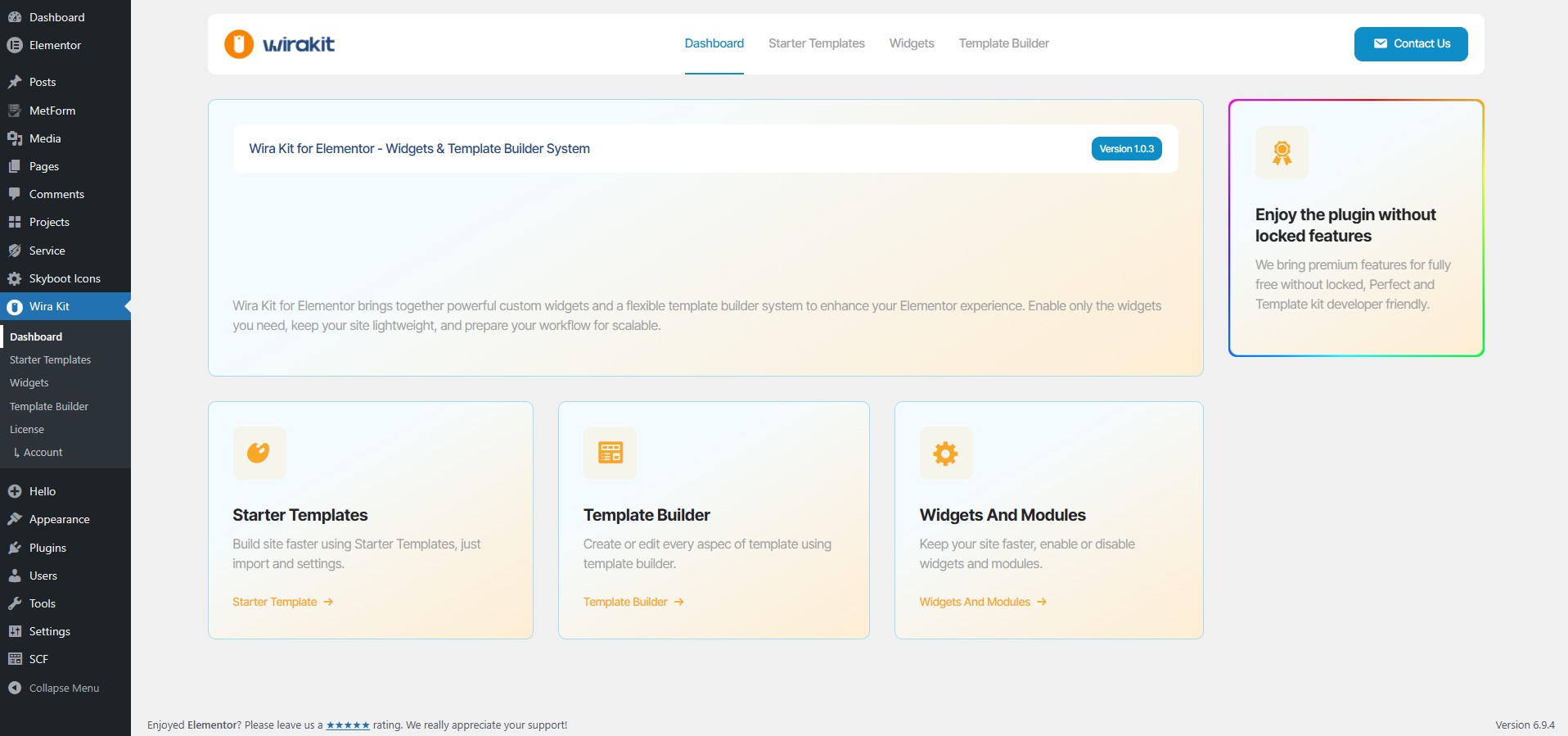
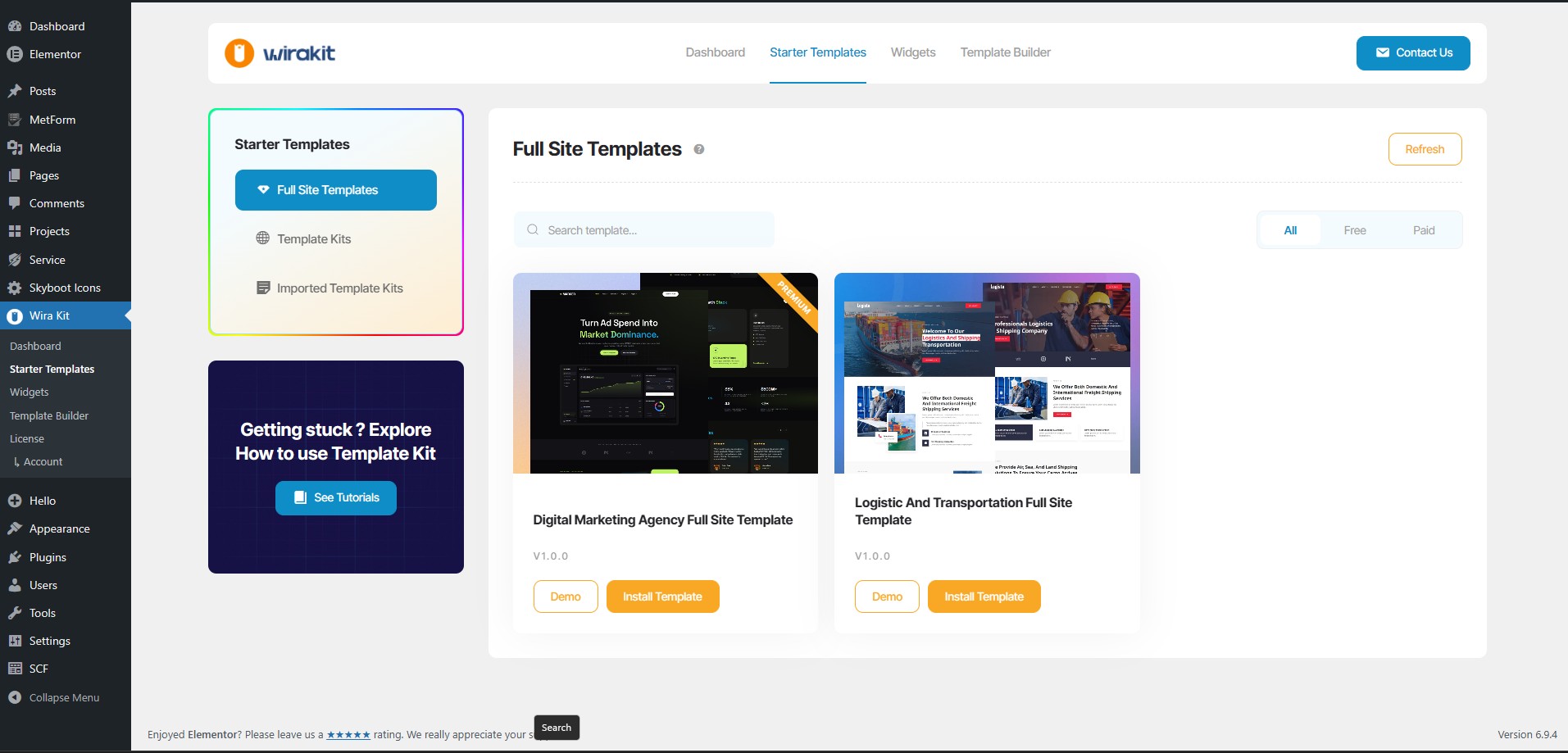


Installation
- Upload the plugin files to the
/wp-content/plugins/wira-kit-for-elementordirectory, or install the plugin through the WordPress plugins screen. - Activate the plugin through the ‘Plugins’ screen in WordPress.
- Open the Wira Kit settings page.
- Enable the widgets and modules you want to use.
- Start building your website with Elementor.1. Upload the
wira-kit-for-elementorfolder to the/wp-content/plugins/directory. - Activate the plugin through the ‘Plugins’ menu in WordPress.
- The plugin works automatically with the most popular theme.
FAQ
-
Does Wira Kit work with Elementor Free?
-
Yes. Wira Kit works with Elementor Free.
-
Can I disable unused widgets?
-
Yes. Wira Kit includes a modular control panel where you can enable or disable widgets and modules individually.
-
Does Wira Kit include a template builder?
-
Yes. Wira Kit includes a template builder for headers, footers, single templates, archive templates, search result pages, and 404 pages.
-
Is Wira Kit lightweight?
-
Yes. Wira Kit is designed to load only the widgets and modules you enable.
-
Is WooCommerce supported?
-
WooCommerce features are planned for future updates.

Contributors & Developers
“WiraKit For Elementor – Theme Builder, Widgets & Template Library” is open source software. The following people have contributed to this plugin.
Contributors
Translate “WiraKit For Elementor – Theme Builder, Widgets & Template Library” into your language.
Interested in development?
Browse the code, check out the SVN repository, or subscribe to the development log by RSS.
Changelog
1.1.1
- Fix Dynamic Tags
1.1.0
- Fix Tab Widget not Showing Content When Page Load
- Tweak – Pagination on Blog And Loop Widget
1.0.9
- Tweak CSS List on Widget Style
1.0.8
- Tweak Plugin Documentation Banner
- Tweak Plugin Dashboard Title
1.0.7
- Add Plugin Documentation Link
1.0.6
- Improve Blog Widget CSS.
1.0.5
- Added changelog section.
- Improved plugin description and assets.
1.0.4
- Update Name and Packge
1.0.3
- Compliance: document external services and ensure share endpoints are user-initiated.
- Compliance: remove programmatic install/activation of other plugins (user installs/activates via WordPress core screens).
- Fix: Full Site Import step handling (ACF/SCF import step no longer errors when not available).
- Fix: improve escaping on output to reduce Plugin Check/PHPCS notices.
- Fix: replace deprecated get_page_by_title() usage.
1.0.2
- Added extension hooks for external widget/module integrations.
- Skip free template importer when Wira Extended is active.
- Pass Wira Extended license state to the admin app.
- Show Install button for subscribe kits when Wira Extended license is active.
- Fix template reference remapping (loop/block/popup/tab) after import to keep widget selections intact.
- Open Full Import modal from “Get All Access” and link to upgrade in modal action button.
1.0.1
- Added additional widgets and full import support.
- Compliance updates for inline script removal and external services disclosure.
1.0.0
- Initial release