
Description
Jooosi Icon: Modern icon management solution for WordPress
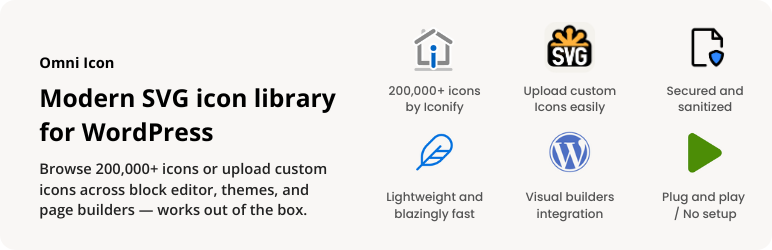
Jooosi Icon is a comprehensive icon management solution that seamlessly integrates icons across the WordPress ecosystem. Upload custom icons, use bundled icons, or access 200,000+ icons from Iconify with support for Gutenberg, Elementor, Bricks, Breakdance, and LiveCanvas.
Features
Jooosi Icon is packed with features designed to make icon management effortless:
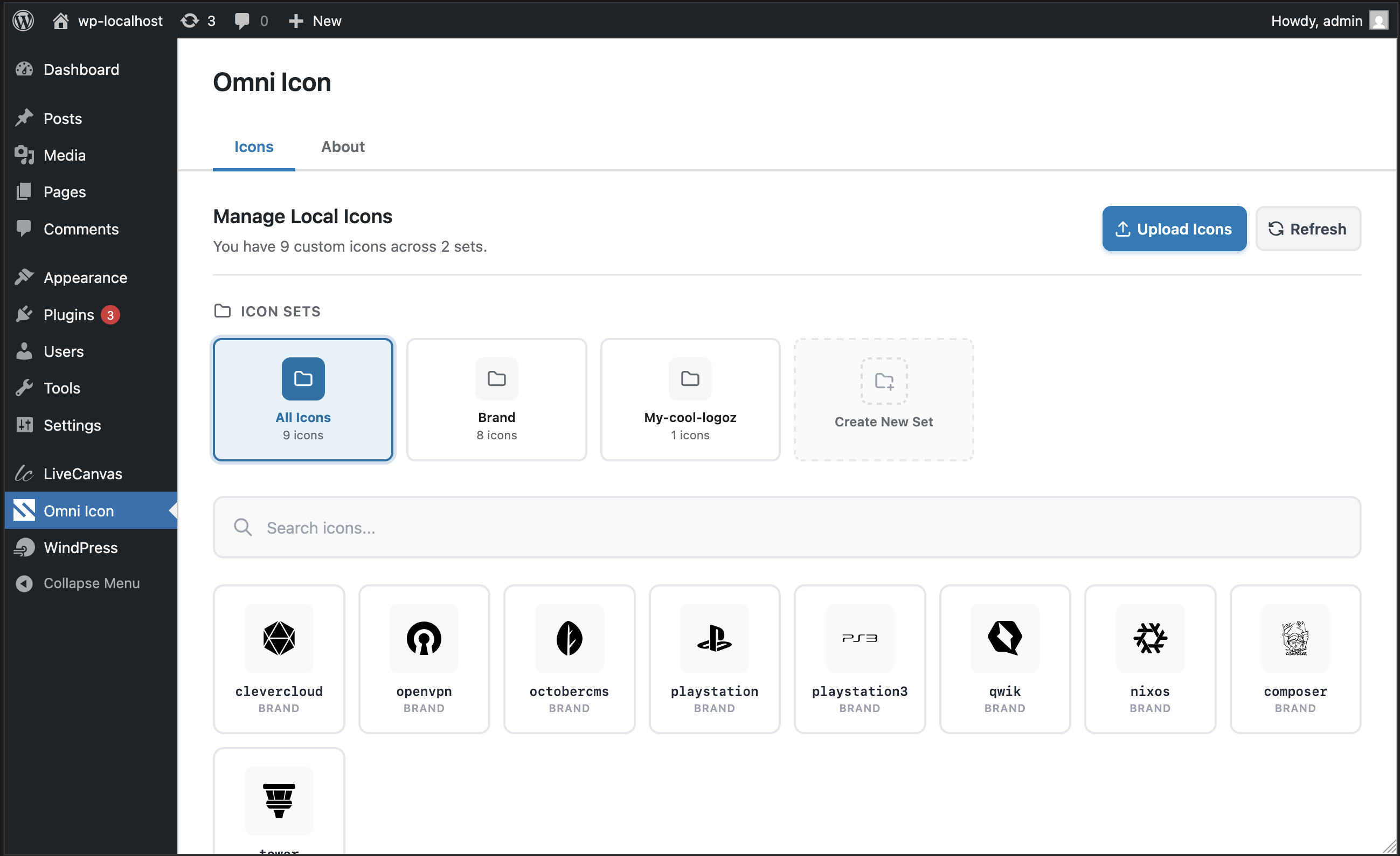
- Multi-source Icon System: Upload custom SVG icons, use pre-bundled icons, or access 200,000+ Iconify icons
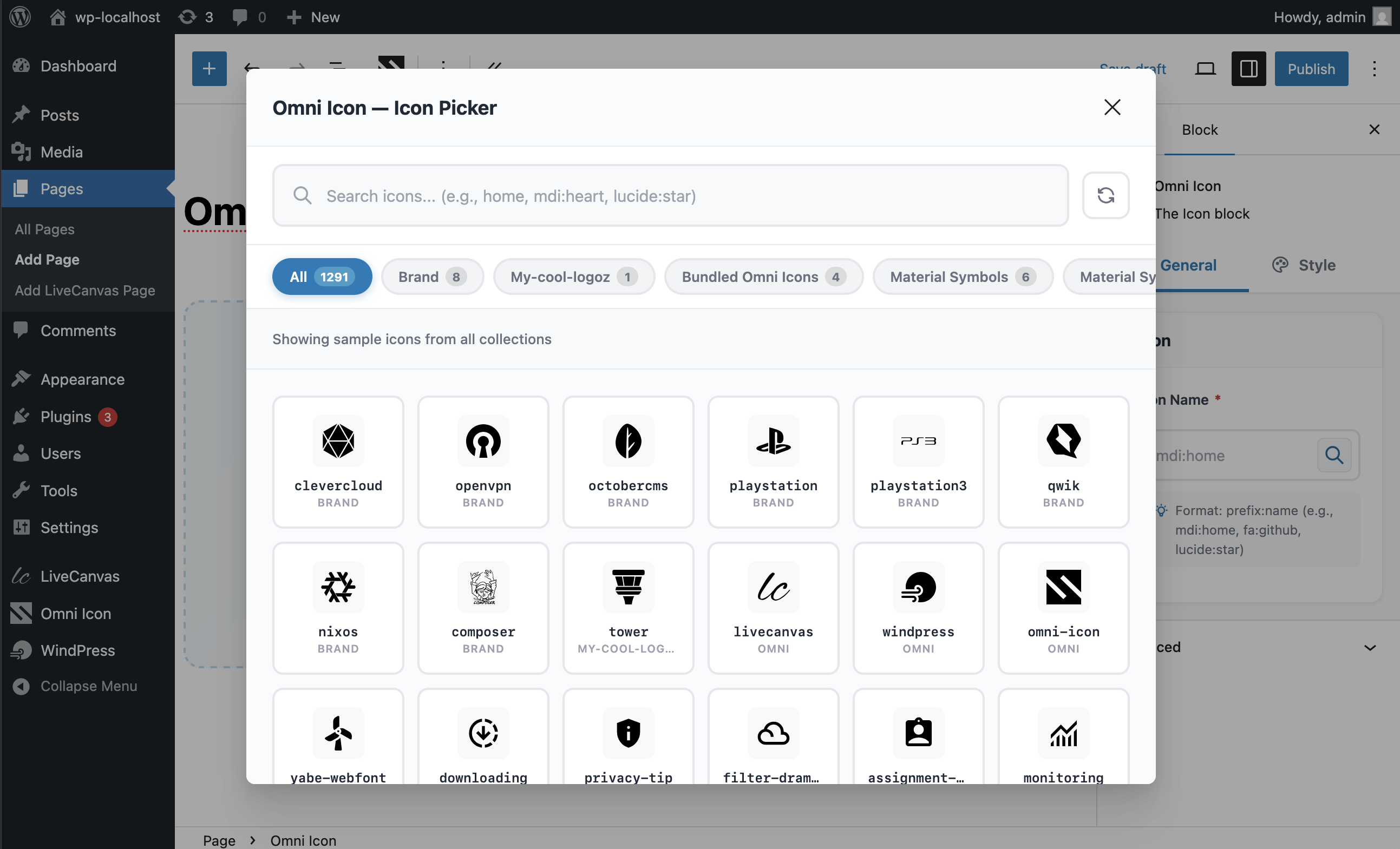
- Icon Search & Discovery: Powerful search across all icon sources with intelligent caching
- Server-Side Rendering (SSR): Icons pre-rendered on server for instant display and optimal performance
- Smart Caching: Multi-layer caching (memory, filesystem, IndexedDB) for blazing fast load times
- Web Component: Use
<jooosi-icon>custom element anywhere in your theme or content - Secure: SVG sanitization prevents XSS attacks on uploaded icons
- Modern Architecture: Built with PHP 8.0+ attributes, Symfony DI, and auto-discovery
- Lightweight: Small footprint with lazy loading won’t slow down your site
Visit our GitHub repository for more information.
Seamless Integration
Jooosi Icon works perfectly with the most popular visual/page builders:
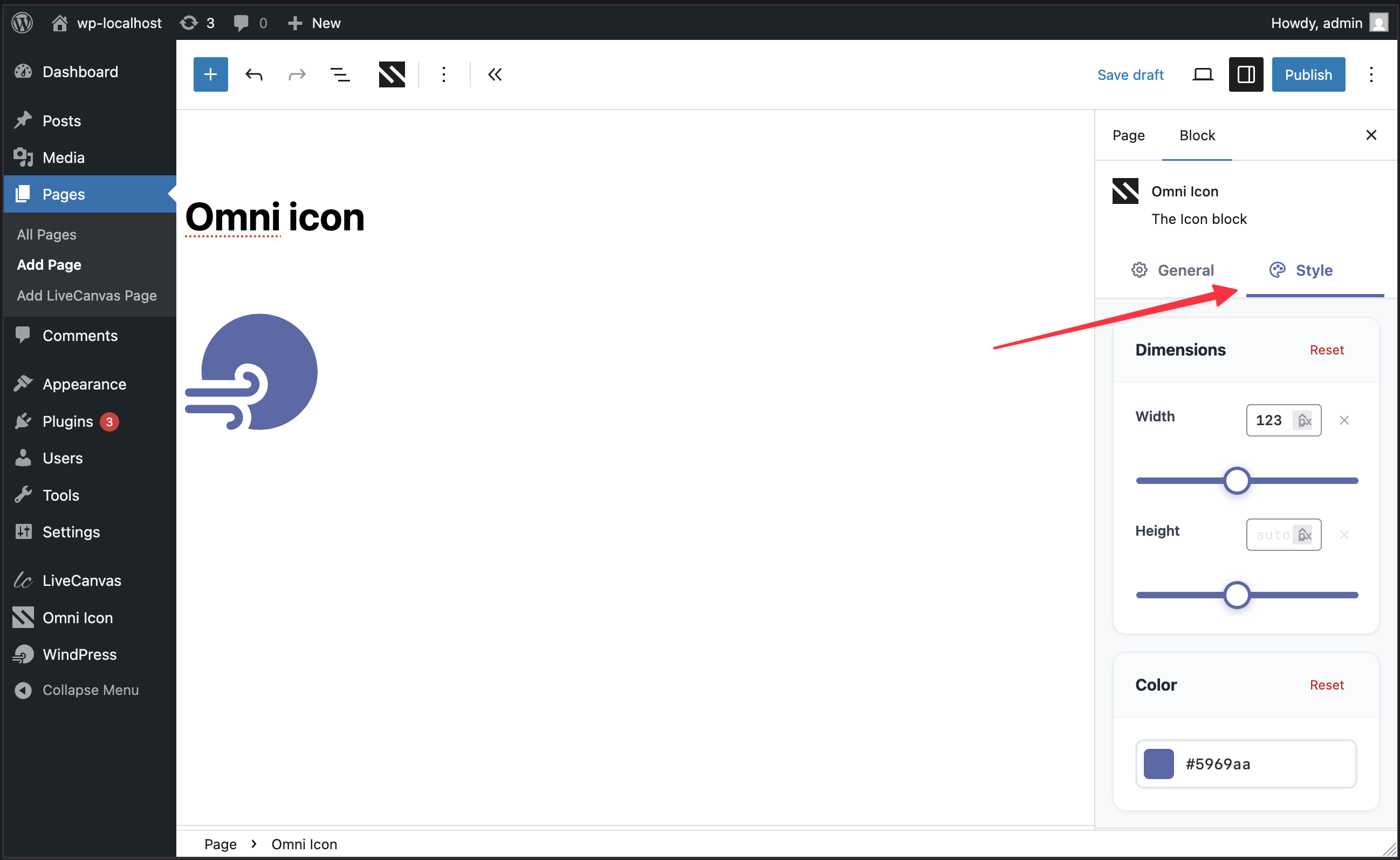
- Gutenberg / Block Editor — Custom Icon block with live preview
- Elementor — Native widget with Elementor controls
- Bricks — Native element with full theme compatibility
- Breakdance — Element Studio integration with SSR
- LiveCanvas — Custom block with panel controls
- Advanced Custom Fields (ACF) — Custom field type for icon selection
- Etch — Web Component with icon picker
- Divi 5 — Native module
- More integrations coming soon!
Icon Sources
Local Icons (Custom Uploads)
Upload your own SVG icons and organize them in custom sets. All uploads are sanitized for security.
Bundle Icons
Pre-packaged icons included with the plugin, including sponsor logos and commonly used icons. Use the jooosi: prefix; the former omni: prefix remains supported for existing content.
Iconify Icons
Access to 150+ icon collections with 200,000+ icons including:
- Material Design Icons (mdi)
- Font Awesome (fa6-brands, fa6-regular, fa6-solid)
- Bootstrap Icons (bi)
- Hero Icons (heroicons)
- Lucide (lucide)
- And 150+ more collections
Browse available icons at Iconify
Usage
Gutenberg:
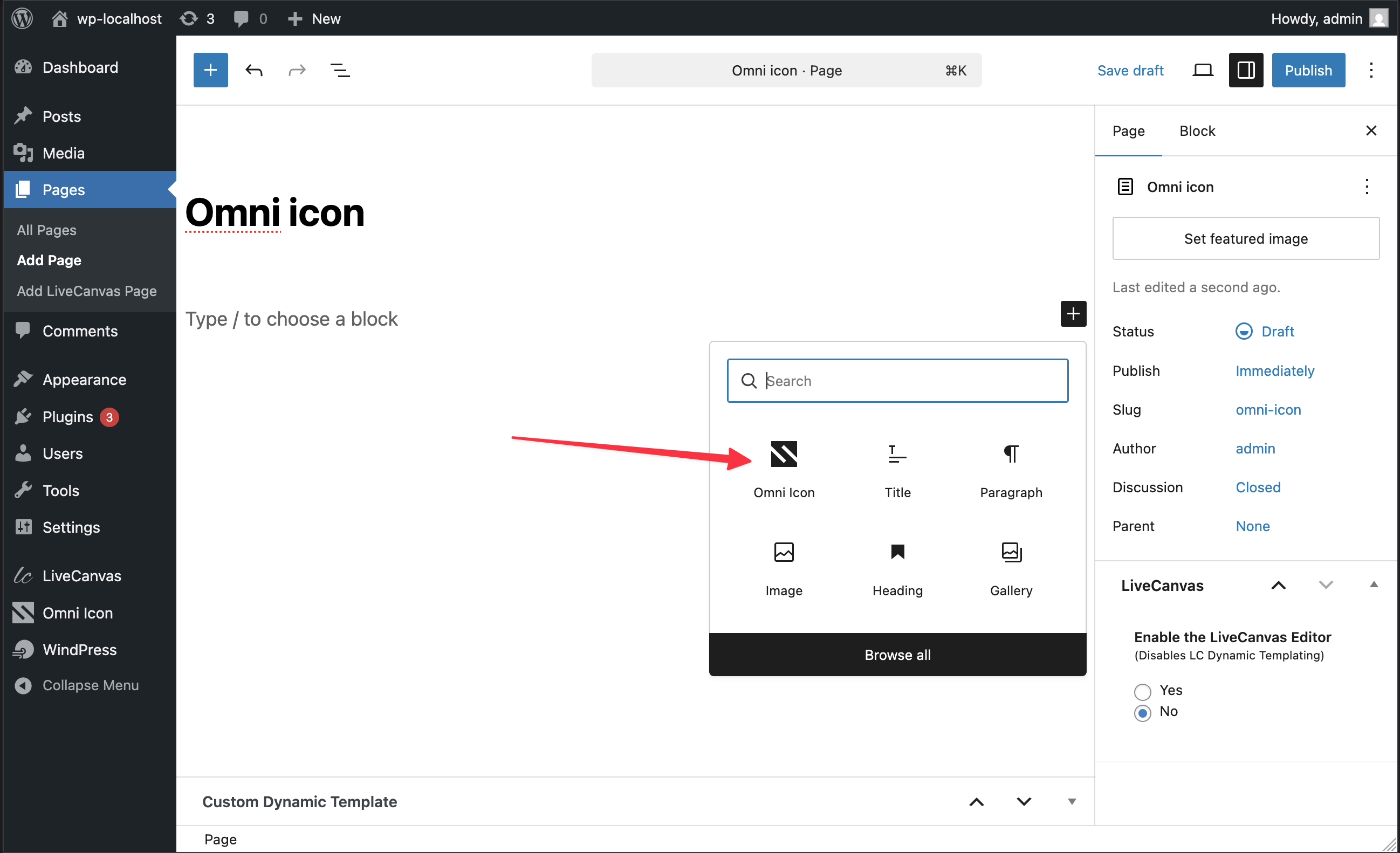
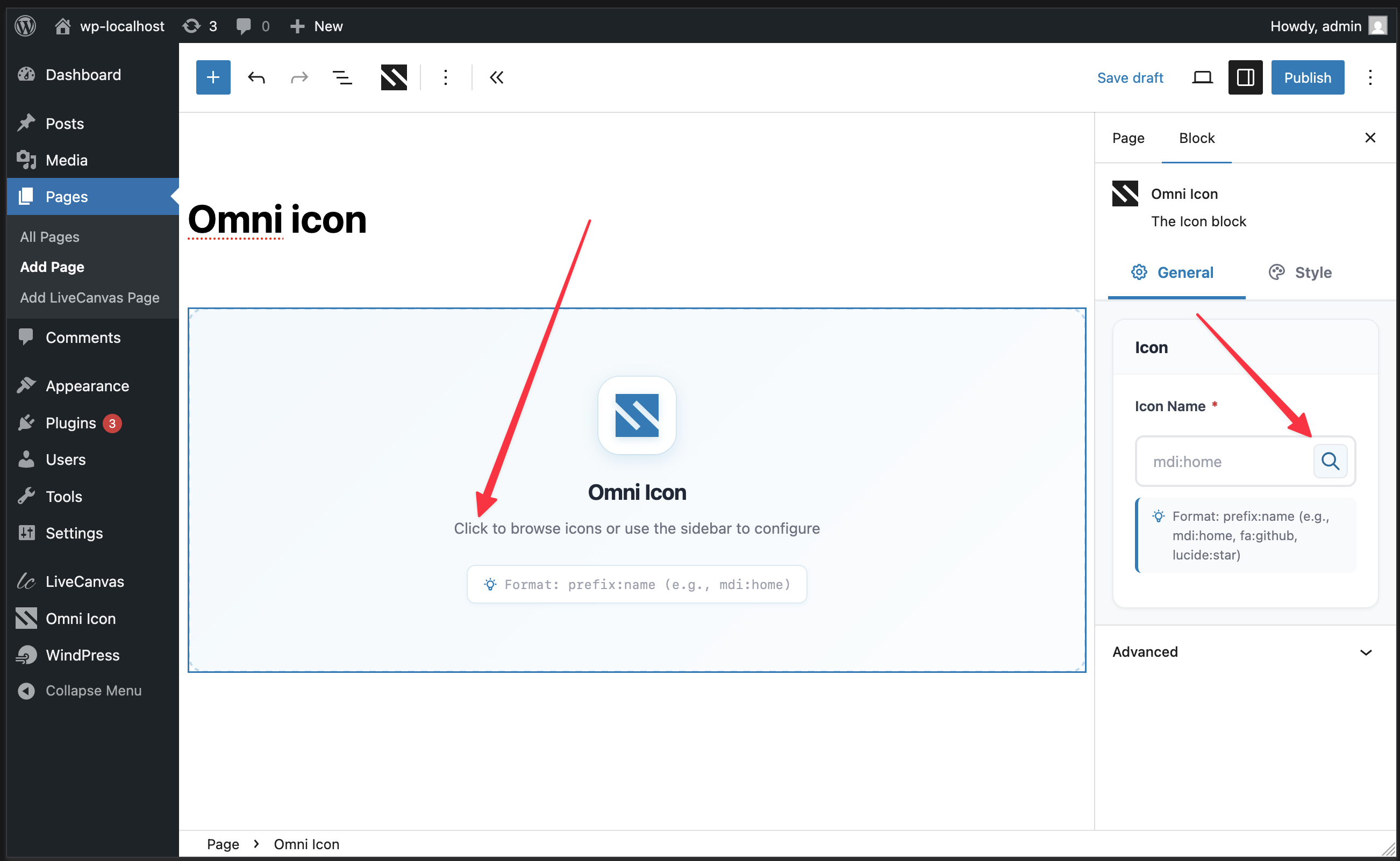
- In the block editor, add a new “Jooosi Icon” block
- Click the icon picker to browse or search icons
Elementor:
- Add the “Jooosi Icon” widget
- Click “Browse Icons” to open the icon picker
Bricks:
- Add the “Jooosi Icon” element
- Click “Browse Icons” to open the icon picker
Breakdance:
- Add the “Jooosi Icon” element
- Click “Browse Icons” to open the icon picker
LiveCanvas:
- Add the “Jooosi Icon” element
Advanced Custom Fields (ACF):
- Create or edit an ACF Field Group
- Add a new field and select “Jooosi Icon” as the field type
- Configure return format (string, array, or HTML)
Etch:
- Add the “jooosi-icon” element from the element menu at the bottom of the screen
- Browse or search icons in the icon picker
- Confirm selection to copy the code to clipboard
- Paste the copied code into the HTML editor
Web Component Usage
Use the <jooosi-icon> web component directly in your theme or content:
<jooosi-icon name="mdi:home"></jooosi-icon>
<jooosi-icon name="local:my-logo" width="64" height="64"></jooosi-icon>
<jooosi-icon name="fa6-solid:heart" color="#3b82f6"></jooosi-icon>
Existing <omni-icon> markup remains fully supported as a backward-compatible alias.
Performance & Security
- Lazy Loading: Web components loaded on-demand
- Multi-layer Caching: Memory Filesystem IndexedDB
- SSR Support: Icons pre-rendered on server for instant display
- SVG Sanitization: All uploaded SVGs sanitized to prevent XSS
- MIME Type Validation: Server-side validation of uploaded files
Love Jooosi Icon?
- Give a 5-star review
- Join our Facebook Group
- Sponsor us on GitHub or Ko-fi
Credits
- Built with Symfony UX Icons
- Powered by Iconify
- SVG sanitization by enshrined/svg-sanitize
Affiliate Disclosure: This readme.txt may contain affiliate links. If you decide to make a purchase through these links, we may earn a commission at no extra cost to you.
Screenshots
Blocks
This plugin provides 1 block.
- Jooosi Icon The Icon block
FAQ
What icon sources does Jooosi Icon support?
Jooosi Icon supports three icon sources: 1. Local Icons – Upload your own custom SVG icons 2. Bundle Icons – Pre-packaged icons included with the plugin 3. Iconify Icons – Access to 200,000+ icons from 150+ collections
How do I use icons in my theme?
You can use the
<jooosi-icon>web component directly in your theme templates:The component supports many attributes like width, height, and color for customization.
Which page builders are supported?
Jooosi Icon currently supports: – Gutenberg / Block Editor – Elementor – Bricks – Breakdance – LiveCanvas – Etch – And more coming soon!
All integrations include icon picker modals for easy icon selection.
Are uploaded SVG icons safe?
Yes! All uploaded SVG files are sanitized using enshrined/svg-sanitize to prevent XSS attacks and security vulnerabilities.
Does Jooosi Icon require an internet connection?
For local and bundle icons, no internet connection is required. Iconify icons are fetched from the Iconify API and cached locally for optimal performance.
What is Server-Side Rendering (SSR)?
SSR means icons are pre-rendered on the server and sent as inline SVG in the HTML. This provides instant display without JavaScript required, improving performance and SEO.
Can I use Jooosi Icon with any WordPress theme?
Yes, Jooosi Icon is compatible with any WordPress theme. You can use the web component, Gutenberg block, or page builder integrations with any theme.
What 3rd Party services used?
Jooosi Icon uses the Iconify API to fetch icons from their extensive icon collections.
Where can I find the source code for compiled/minified files?
The complete source code, including uncompiled versions of all JavaScript and CSS files in the
dist/directory, is publicly available on GitHub
Reviews


Contributors & Developers
“Jooosi Icon – Modern SVG icon library for WordPress” is open source software. The following people have contributed to this plugin.
Contributors

Translate “Jooosi Icon – Modern SVG icon library for WordPress” into your language.
Interested in development?
Browse the code, check out the SVN repository, or subscribe to the development log by RSS.
Changelog
1.0.21 – 2026-09-19
Fixed
- Include
composer.jsonin release packages for runtime discovery.
1.0.20 – 2026-09-19
Added
- Add the
jooosi-icon/service/icon:sourcesfilter for third-party icon sources.
Changed
- Update WordPress compatibility to WordPress 7.1.
- Rebrand the plugin, PHP namespace, assets, integrations, and web component to Jooosi Icon.
- Move canonical uploaded-icon storage to
wp-content/uploads/jooosi-icon/with automatic migration and a legacy-directory fallback.
Deprecated
- Forward pre-rebrand filters and actions through WordPress deprecated-hook APIs.
- Keep the former
omni:icon prefix and<omni-icon>markup as compatibility aliases.
Fixed
- Fix Breakdance element registration and icon picker rendering #7
- Fix Divi 5 module registration in scoped release builds #11
- Fix Gutenberg icon rendering and CSS loading in the editor canvas #5 #8
- Preserve uploaded SVG presentation attributes during client-side rendering #12
- Remove XML declarations from sanitized SVG output to avoid bogus HTML comments during client rendering
1.0.19 – 2026-07-24
Fixed
- Resolve dynamic data tags in the Bricks Jooosi Icon element’s Icon Name setting (WordPress.org support thread)
1.0.18 – 2026-06-05
Fixed
- CSS stylesheets loaded as JS in builder integrations #9
1.0.17 – 2026-03-25
Changed
- Migrate the build system to
@nabasa/vp-wpfor improved performance and better WordPress integration
1.0.16 – 2026-03-18
Added
- Divi 5 integration
Fixed
- Release build Symfony DI ParameterBag scoping issue
1.0.15 – 2026-01-30
Changed
- Update readme file
1.0.14 – 2026-01-14
Added
- Etch integration
Changed
- Increase webcomponent concurrent request limit from 4 to 16 for faster icon loading
Fixed
- Missing assets entrypoint in Vite config for ACF integration
1.0.13 – 2026-01-13
Fixed
- Redis compatibility issue
1.0.12 – 2026-01-12
Fixed
- PHP 8.1 compatibility issues
1.0.11 – 2026-01-12
Added
- Blueprint for WordPress.org plugin repository
1.0.9 – 2026-01-12
Changed
- Update readme file
1.0.7 – 2026-01-12
Fixed
- [ACF] Discovery compatibility issue
1.0.4 – 2026-01-09
Added
- ACF (Advanced Custom Fields) integration #4
Fixed
- Modal footer visibility on laptop screens – Confirm/Cancel buttons now visible without requiring full-screen mode #3
- WordPress.org plugin repository compliance fixes
1.0.3 – 2026-01-08
Fixed
- WordPress.org plugin repository compliance fixes
1.0.2 – 2025-12-31
Added
- Multiple and drag-and-drop icon upload support – upload multiple SVG files at once
- Multi-select icons with keyboard shortcuts (Ctrl/Cmd+Click, Shift+Click) and mouse drag area selection for bulk operations
1.0.1 – 2025-12-31
Fixed
- WordPress.org plugin repository compliance fixes
1.0.0 – 2025-12-31
Added
- 🐣 Initial release.