
Description
Easy Hide Admin Menu Items is a plugin designed for the convenience of using the WordPress admin panel by hiding unnecessary menu items. On some websites, the admin panel can become cluttered with various menus and settings, and Easy Hide Admin Menu Items is intended to help users easily customize their administrative space.
Why is it convenient?
On some websites with numerous plugins and extensions, the admin panel can become confusing due to an excess of menus. Easy Hide Admin Menu Items allows you to easily hide the items you don’t need, providing cleanliness and convenience in usage.
Plugin Settings
In our plugin, you can locate the settings within the following menu:
Appearance Admin Menu Settings
Within this menu, you’ll find the settings for our plugin.
Additional Description
Easy Hide Admin Menu Items offers a seamless solution for customizing your WordPress admin panel to suit your preferences. With the settings conveniently located under Appearance Admin Menu Settings, you have the power to tailor your admin experience effortlessly.
Key Features:
- Instant Menu Concealment: Upon activation, the plugin allows you to immediately hide menus, ensuring instant application of your customization choices.
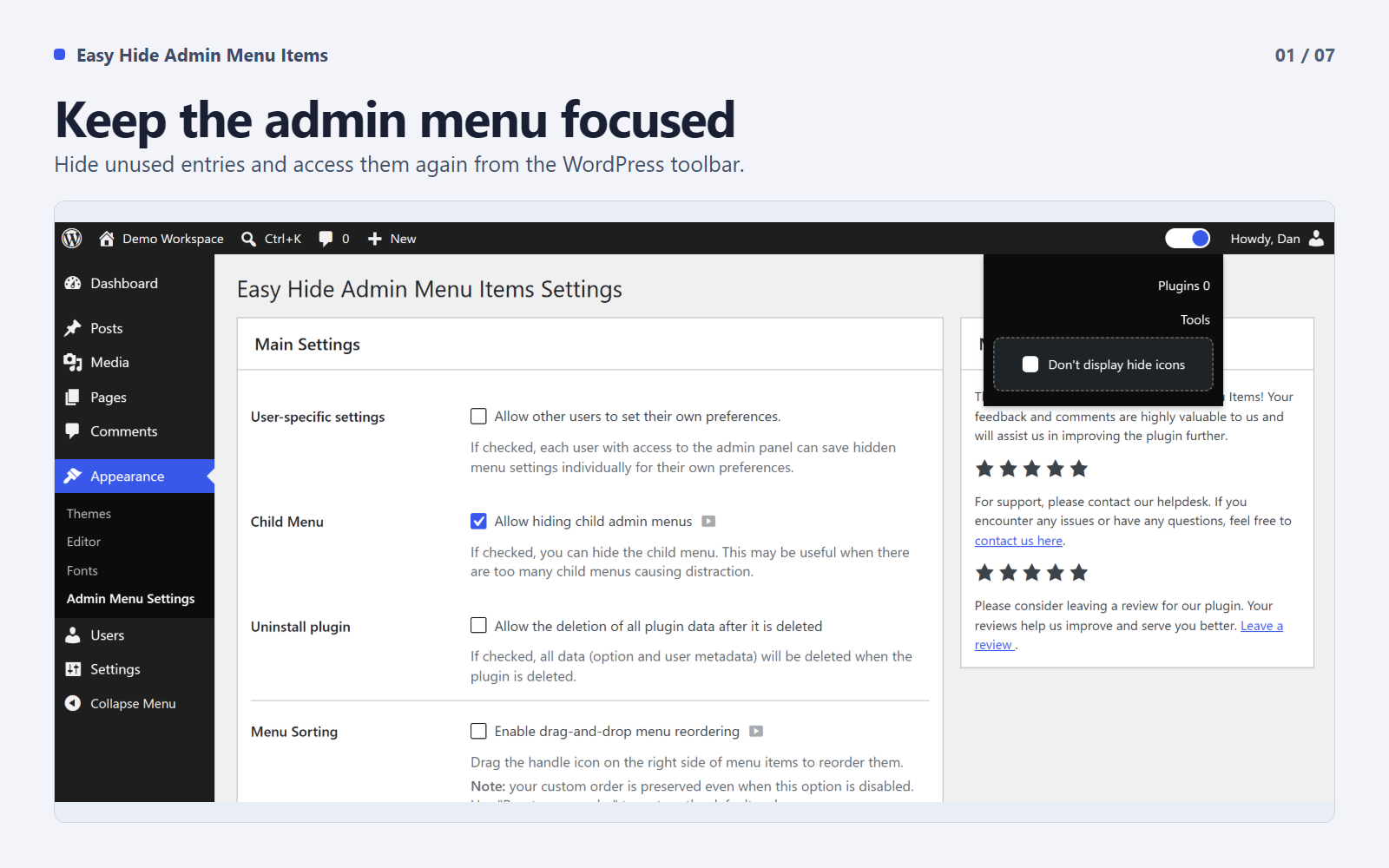
- Child Menu Hiding: Enable the option to hide child menus, providing a cleaner and more focused navigation experience.
- Global or User-Specific Settings: Choose between global settings for all users or empower each user to personalize their admin menu visibility.
- Global Settings: Changes apply to everyone. If the admin hides a menu, it’s hidden for all users.
- User-Specific Settings: Each user can customize their menu visibility individually.
Enhance your WordPress admin panel experience by effortlessly managing menu items and optimizing the interface according to your specific needs. Experience a clutter-free and user-friendly environment with Easy Hide Admin Menu Items.
Experimental Features in 1.4.0
These features are available under Appearance Admin Menu Settings. They are marked as experimental and your feedback is welcome.
- Menu Sorting: Drag-and-drop reordering of admin menu items. A handle icon appears on hover — grab it to move items up or down. Your custom order is saved per user or globally depending on your settings. Disabling this option preserves your saved order.
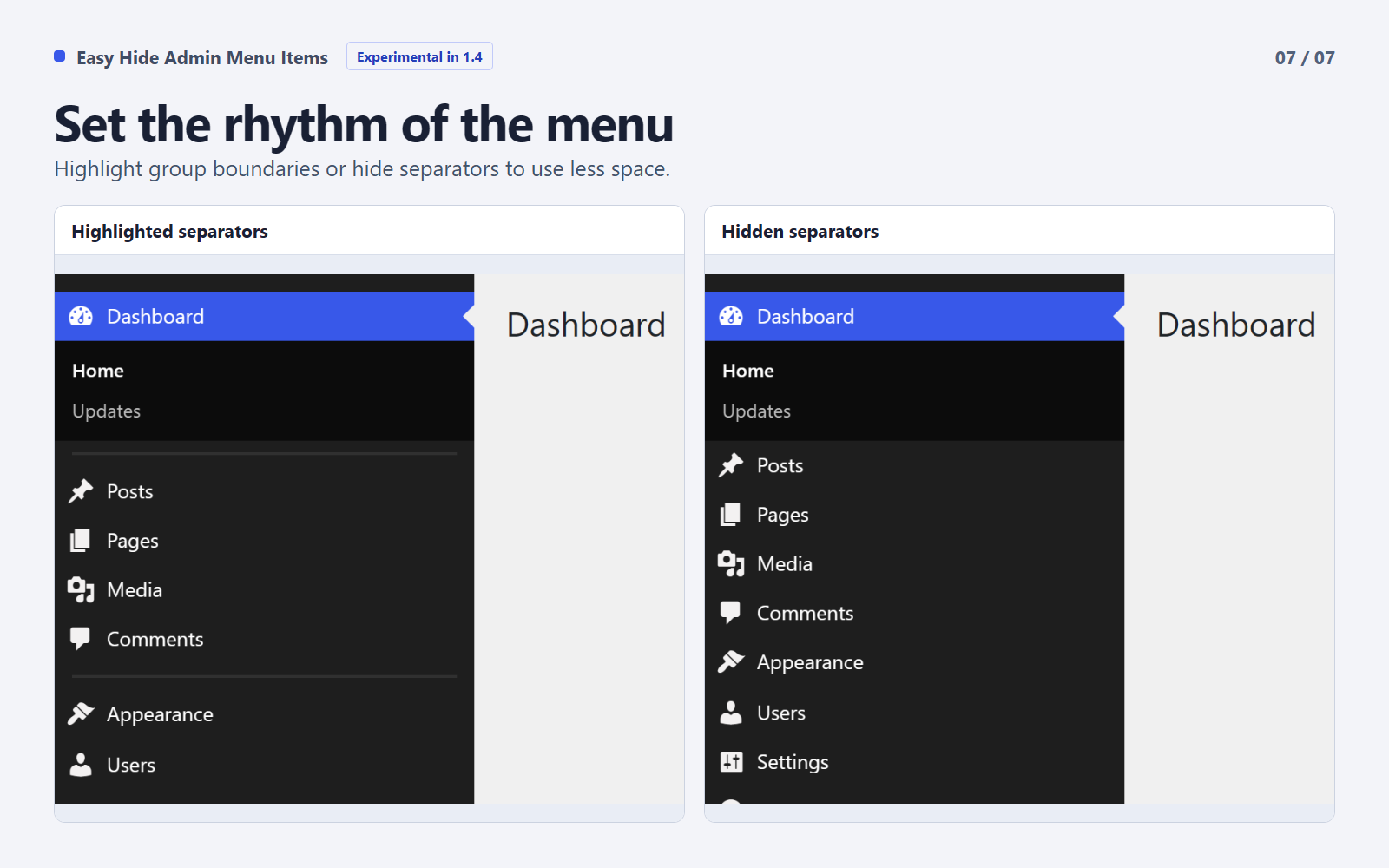
- Menu Separators: Control the visibility of separator lines between menu groups. Choose to hide them completely or highlight them for better visual separation.
- Sidebar Width: Resize the expanded desktop menu by dragging its edge or using the width slider. The standard folded and mobile layouts are preserved.
Screenshots


Installation
You can install this plugin in two ways:
Installation via Uploader:
- Download the plugin archive and extract it.
- Upload the
easy-hide-admin-menu-itemsfolder to thewp-content/plugins/directory on your server. - Activate the plugin through the “Plugins” section in the WordPress admin panel.
Installation from Repository:
- Log in to your WordPress admin panel.
- Go to the “Plugins” section and select “Add New”.
- Enter the
EHAMIkey for simplified searching in the search bar. - Click the “Install” button next to the “Easy Hide Admin Menu Items” plugin.
- After the installation is complete, activate the plugin.
FAQ
-
After installing the plugin, a control manager will appear in the admin bar; you can disable the menu at any time.
-
Yes, you can. We introduced an additional settings page that we will improve over time. Please send your suggestions to support.
-
What advantages does using global settings offer compared to individual ones?
-
You can quickly configure the admin panel for all users at once with just one click. Individual settings for the menu allow each user to customize their admin panel.
-
Yes, there is. A toggle switch is provided in the top admin bar for this purpose.
-
Yes, it can. Firstly, you can navigate to any link from the hidden menu directly from the hidden menu bar. Secondly, you can always delete a hidden menu. Thirdly, once all settings are configured in your admin panel, you can disable the display of hide icons for comfortable admin panel usage.
Reviews


Contributors & Developers
“Easy Hide Admin Menu Items” is open source software. The following people have contributed to this plugin.
Contributors


“Easy Hide Admin Menu Items” has been translated into 1 locale. Thank you to the translators for their contributions.
Translate “Easy Hide Admin Menu Items” into your language.
Interested in development?
Browse the code, check out the SVN repository, or subscribe to the development log by RSS.
Changelog
1.4.0
- Added experimental drag-and-drop sorting for the WordPress admin menu.
- Added experimental sidebar resizing for the expanded desktop menu.
- Added experimental controls to hide or highlight menu separators.
- Added Slovak localization and updated Russian translations.
- Restricted shared menu changes to users with the manage_options capability.
- Kept personal menu visibility, order, and width separate between users.
- Fixed saved sidebar widths overriding the folded and mobile layouts.
- Aligned the icons in the review notice buttons.
- Updated the WordPress.org gallery with seven screenshots.
- Restored PHP 7.0 compatibility and corrected the review AJAX callbacks.
1.3.9
- Tested on WordPress 6.9.
1.3.8
- Tested on WordPress 6.6
1.3.7
- Tested with WordPress 6.5.
- Tested with PHP 8.3.
1.3.6
- Links in the hidden menu bar are now clickable.
- Added a setting to disable hiding icons.
- Updated project description.
- Performed testing for inaccuracies in the plugin.
- FIX: Corrected interface display issue for editors.
- FIX: Resolved saving error in user_meta for the last menu item.
1.3.5
- Add notice review.
1.3.4
- UPD: Contact details of the participants.
1.3.3
- Added the ability to hide child menus.
1.3.2
- Added support for WordPress 6.4.
- Added settings page.
1.3.1
- Fixed minor bugs related to menu item visibility.
- Enhanced performance for larger WordPress installations.